August 11th, 2026

There's a new Action Needed bell in the sidebar.
What it does
The bell shows what needs your attention. Click it to see a breakdown:
Failed operations — order operations (deliveries, refunds, cancellations, releases, compensations, and order modifications) that failed and need to be looked at. Click to jump straight to the failed operations in the Operations dashboard.
Approval needed — order operations that were created but are waiting for someone to approve them before they run. Click to go directly to the approval list.
Failed workflows — workflow executions that failed in the last 7 days. Click to open the Workflows dashboard.
Custom states — orders sitting in a custom state you've chosen to watch (for example "Manual review" or "Payment check"). Click an entry to open the Orders page pre-filtered to exactly those orders. Blocking states are shown in red, non-blocking in orange.
Set up under Settings → Custom States — toggle notifications on for the states you want to watch.
June 17th, 2026
New

You can now run your Brink Commerce operations through your own AI agent.
The Merchant Portal MCP exposes the Brink Management and OMS APIs as tools that any standard-compliant AI client can use. Connect Claude, ChatGPT, or your own in-house framework, and manage your commerce engine in natural language: search orders, process refunds, configure markets, adjust inventory rules, and set up campaigns and discounts without navigating the admin UI.
It is built on the open Model Context Protocol, so there is no proprietary platform to adopt.
Faster operations. Workflows that used to span several screens complete in one instruction.
Same security model. Every action is scoped by the user's Merchant Portal role, validated against the API schema, and written to the audit log with full attribution. If a user cannot do it in the UI, their agent cannot either.
A path to automation. The same interface serves both human instructions and machine inputs, so a task you run by hand today can become a scheduled script, and later a fully autonomous agent, with no change to your integrations.
The traditional Merchant Portal UI remains unchanged.
First, contact Brink to activate MCP access for your account.
Then connect your client and grant access:
1. Connect an LLM client (MCP)
Use the client ID and authorization URL below to connect your LLM client to the Brink Merchant MCP server. For all other setup steps, follow the instructions provided by your LLM client.
Client ID: <client-id>
Authorization URL: <auth-url>
MCP server URL: <mcp-url>
Note: Your LLM client must support MCP over HTTP.
2. Add the MCP role to your user
In the Merchant Portal, go to Settings → Manage User → Access and add the MCP role to your user.
June 16th, 2026
New

We're introducing a new capability that allows you to display potential discount prices directly on product detail pages (PDP), helping customers see the best possible price before adding items to their cart.
Previously, discount prices were only visible after customers added products to their cart and met specific rule conditions (cart thresholds, customer tags, etc.). This meant customers couldn't see potential savings on product pages, limiting price transparency.
A new endpoint simulates eligible discounts for each product variant, displaying the best possible price customers could achieve, even without an active cart.
Best Price Calculation: Automatically computes the lowest possible price per variant by simulating "perfect cart conditions"
Discount Metadata: Returns detailed information about which discount rules apply, including rule IDs, types, and discount amounts
Merchant Control: Toggle which discount rules appear in PDP pricing calculations through a new setting on the discount model
June 5th, 2026
New

The Brink Shopper SDK is now available — a TypeScript SDK for the Brink Commerce Shopper API. Build storefronts, carts and checkouts against Brink with ease.
npm install @brinkcommerce/shopper-sdkOne typed client for the whole shopper journey — sessions, carts, products, prices, stock, checkouts, and order confirmations.
All provider integrations covered out of the box — Adyen, Avarda, Klarna Checkout (KCO), Ledyer, Qliro (incl. upsell flow), Svea Checkout (SCO), Walley, Zaver, Custom Payment, Ingrid, NShift etc.
Automatic token management — session and checkout JWTs are issued, stored, and refreshed for you.
End-to-end TypeScript types — request and response shapes are generated from the live Shopper OpenAPI spec, so the SDK stays in sync with the API.
SSR-friendly — hydrate an existing session token at construction time for server-side rendering and BFF setups.
Helpers for common checkout edge cases — isCheckoutStale and isCheckoutForPaymentProvider make it trivial to decide when to reuse a checkout vs. start a new one.
Predictable error handling — every non-2xx response throws a ShopperError with status code and parsed body.
The SDK ships with built-in staleness detection — isCheckoutStale compares the current session against the active checkout, and isCheckoutForPaymentProvider catches payment-provider switches. Used correctly, the storefront can reuse an existing checkout instead of calling checkouts.start() on every checkout page load. Fewer round-trips and a noticeably faster checkout for the shopper.
Frontend and BFF teams can now integrate Brink Shopper much faster. Less boilerplate, fewer integration bugs, and a single upgrade path that tracks the API as it evolves.
June 3rd, 2026
New

Brink now supports split shipments when using Kustom Shipping Assistant (KSA) as the checkout shipping integration.
Orders using KSA can be split into multiple deliveries, each with its own carrier, tracking, and capture amount.
Each split delivery is reported back to Kustom so the shopper sees accurate, per-parcel tracking in the Kustom app and post-purchase emails.
No breaking changes for merchants already on KSA: orders that ship in a single delivery continue to work exactly as before.
May 29th, 2026
New

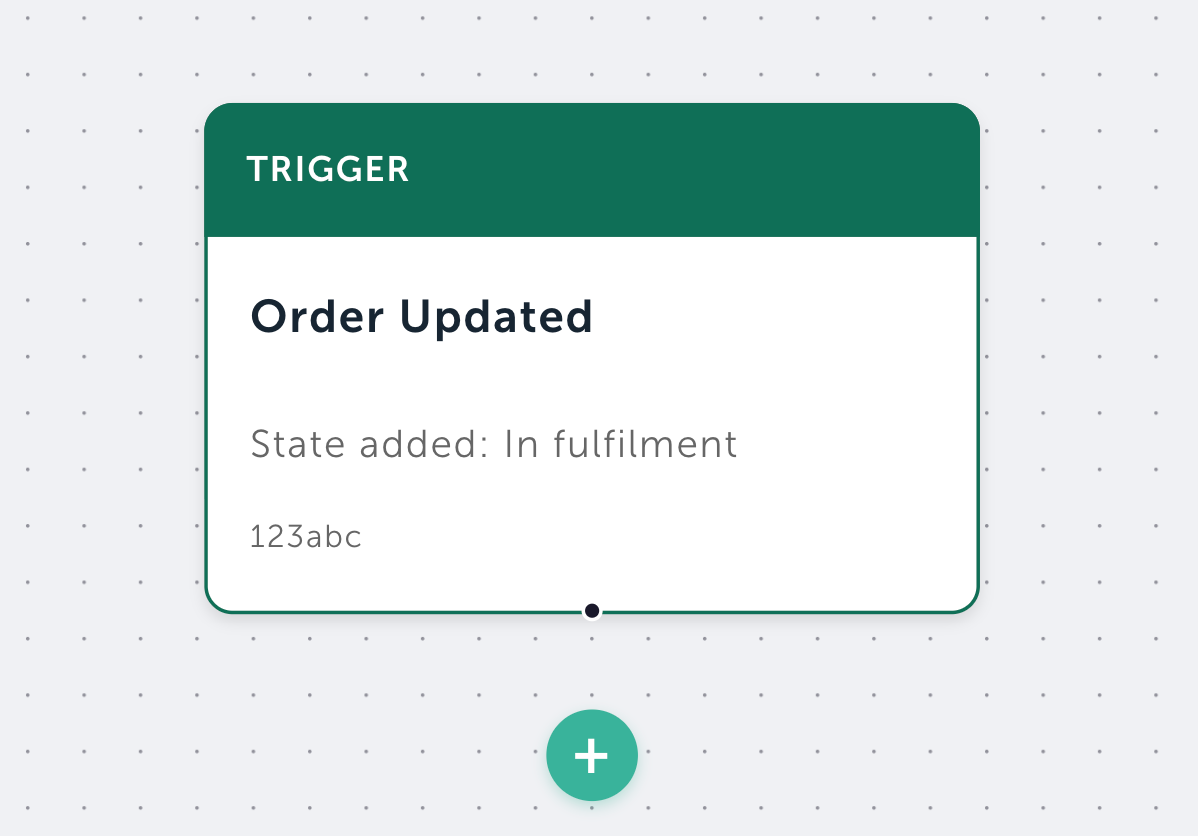
Automate repetitive order operations directly inside Brink. Define rules that run the moment an order is created, branch on order data, and trigger actions like deliveries, cancellations, or custom states automatically.
What it enables
Automated Workflows lets you build configurable, event-driven automations against orders. Each workflow is a tree of decision and action nodes that runs against new orders.
Event-driven, currently ORDER_CREATED
Versioned & safe to iterate
Fully observable, with status and execution log
What you can set up
Conditions to branch on:
Provider checks
Orderline checks
Order-level checks
Custom HTTP
Actions you can trigger:
Create and start a Delivery
Create and start a Cancellation
Add a Custom State
Example use cases
Auto deliver digital goods
Auto assign “HIGH_VALUE” state to orders over 50,000
Auto assign “FRAGILE_HANDLING” when any order line has a “fragile” tag
Auto cancel orders flagged by external fraud system (via CUSTOM_HTTP)
Block orders with specific SKU or email by setting a blocking custom state
Contact your Brink Customer Success Manager to enable Google SSO for your environment.
Contact your Brink Customer Success Manager to here more.
May 25th, 2026

Merchants can now export filtered order results from the Orders view in the Merchant Portal as a CSV file.
An Export button appears next to the orders list whenever at least one filter is active and the result set is within the supported size (up to 10,000 orders).
Exports run in the background with a loading indicator on the button, giving clear feedback while the file is generated.
A tooltip on the button clarifies the behaviour and explicitly notes that personal data is excluded from the export.
CSV includes core order info (order ID, reference, merchant references, date, country, currency, store group, order states), payment details (method, provider, payment reference) and monetary totals in major units (sub-total, tax, shipping, discount, grand total) formatted per order currency.
Full discount and campaign breakdown (discount codes, cart/code/external rule IDs and references, bundle and bundle-group IDs, campaign IDs and names).
Merchants get a self-service way to pull the order data they need for reporting, reconciliation, and campaign analysis, with personal data left out so the export stays privacy-safe by default.
May 15th, 2026
Improved

Create a request button — Step 1 of the Cancel order popup now includes a yellow secondary action that calls only createCancellation, closes the popup, and leaves the cancellation in a pending-draft state, ready for an integration or a colleague to finalize.
Permission-aware Step 1 — Users with create permission but no execute permission see only the Create a request button (positioned to the far right). Operators with execute permission see both Continue and Create a request, with tooltips explaining each path.
Cancel request on the order page — Pending cancellation drafts now show a destructive Cancel request button that calls deleteCancellation, replacing the previous in-modal Cancel update button.
For users with authority to create but not start operations:

For users with authority to create and start operations:

May 13th, 2026
New

Avalara tax provider integration. Avalara is a global tax compliance service that calculates sales tax, VAT and GST across thousands of jurisdictions in real time, based on shipping address, product taxability and current rates.
Brink now exposes Avalara as a Shopper tax provider — configure it per market and tax is calculated live at checkout. Can be used in Shopper independently of Order Management.
Avalara is also available on the order side, used to recalculate tax when orders are updated.
Deliver — mark order items as shipped and trigger payment capture with your payment provider in a single, auditable step.
Refund — return money to the customer for delivered items, in part or in full, with provider-level reversal.
Avalara connections are managed from the Merchant Portal — connect, validate and update credentials per store group and market.
May 6th, 2026

We've extended the Sales Dashboard and Orders list to fully support discount cart rules alongside discount codes, code rules, and external rules.
New "Cart Rules" tab in the Top Discounts section of the Sales Dashboard — see your top-performing cart rules ranked by usage, with usage counts, top market, top store, and average order discount.
Filter by cart rules in both the Sales Dashboard and the Orders list view.
Click-through to orders — click "View orders" on any cart rule row to jump to the Orders list filtered by that rule.
CSV export for cart rule performance data, consistent with the export available for codes, code rules, and external rules.
Order-level + order-line-level matching — discount rule filtering now matches discounts whether they're applied at the order level or distributed to individual order lines, so you no longer miss orders where the discount only exists at one of those levels.