Stacked Discount
Groups related products together (using tags) and applies volume discounts based on the total quantity in each group.
Written By Markus Flodmark
Last updated 8 months ago
How does it work?
Grouping products - Choose how items stack together:
By product variant: Each specific variant must reach the threshold individually (e.g., 5x "Blue T-shirt Size M")
By product parent: All variants of the same product count together (e.g., any combination of sizes/colors of the same T-shirt style)
Checking quantities: The system counts items in each group and checks against your threshold settings (e.g., 3 items = 10% off, 5 items = 15% off)
Applying discounts: When a threshold is reached, ALL items in that group get the discount
Example:
Customer buys:
2 blue T-shirts (size M)
3 blue T-shirts (size L)
Grouped by product parent (threshold: 5 items = 10% off) ✓ All 5 T-shirts get 10% off (different sizes count together)
Grouped by product variant (threshold: 5 items = 10% off) ✗ No discount applied (neither size M nor size L reached 5 items individually
Use sub outcomes to create multiple discounts.
Setup in Merchant Portal
Tags are used to filter which products that are affected.
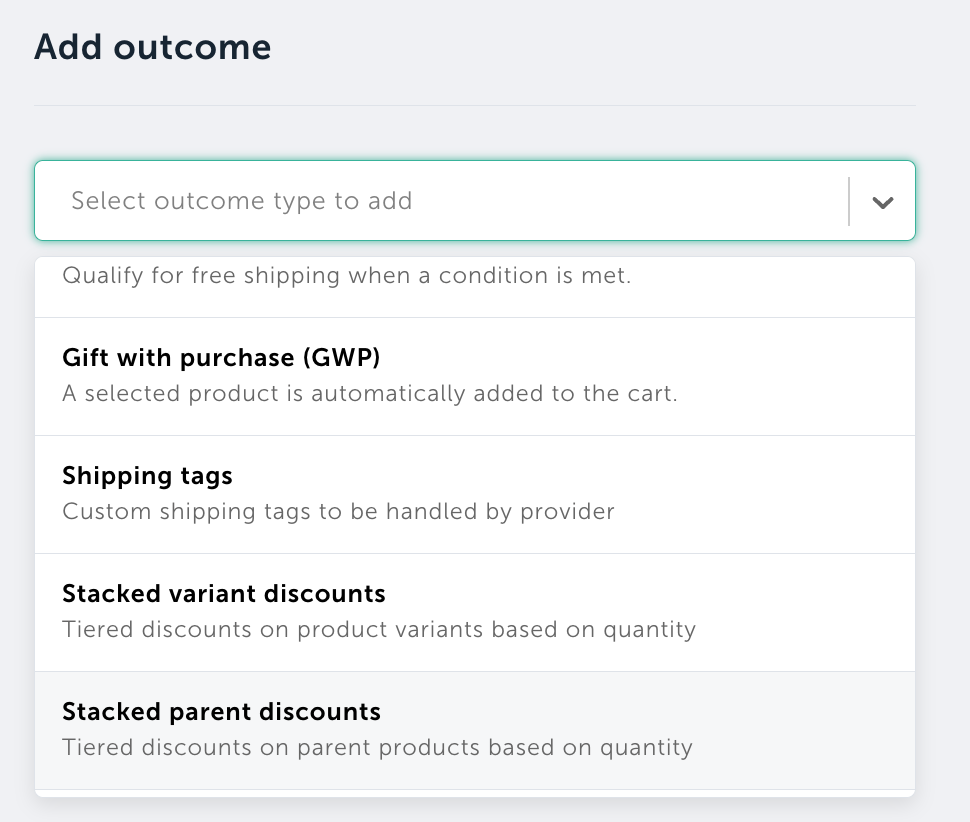
Add outcome: Stacked variant discounts or stacked parent discounts
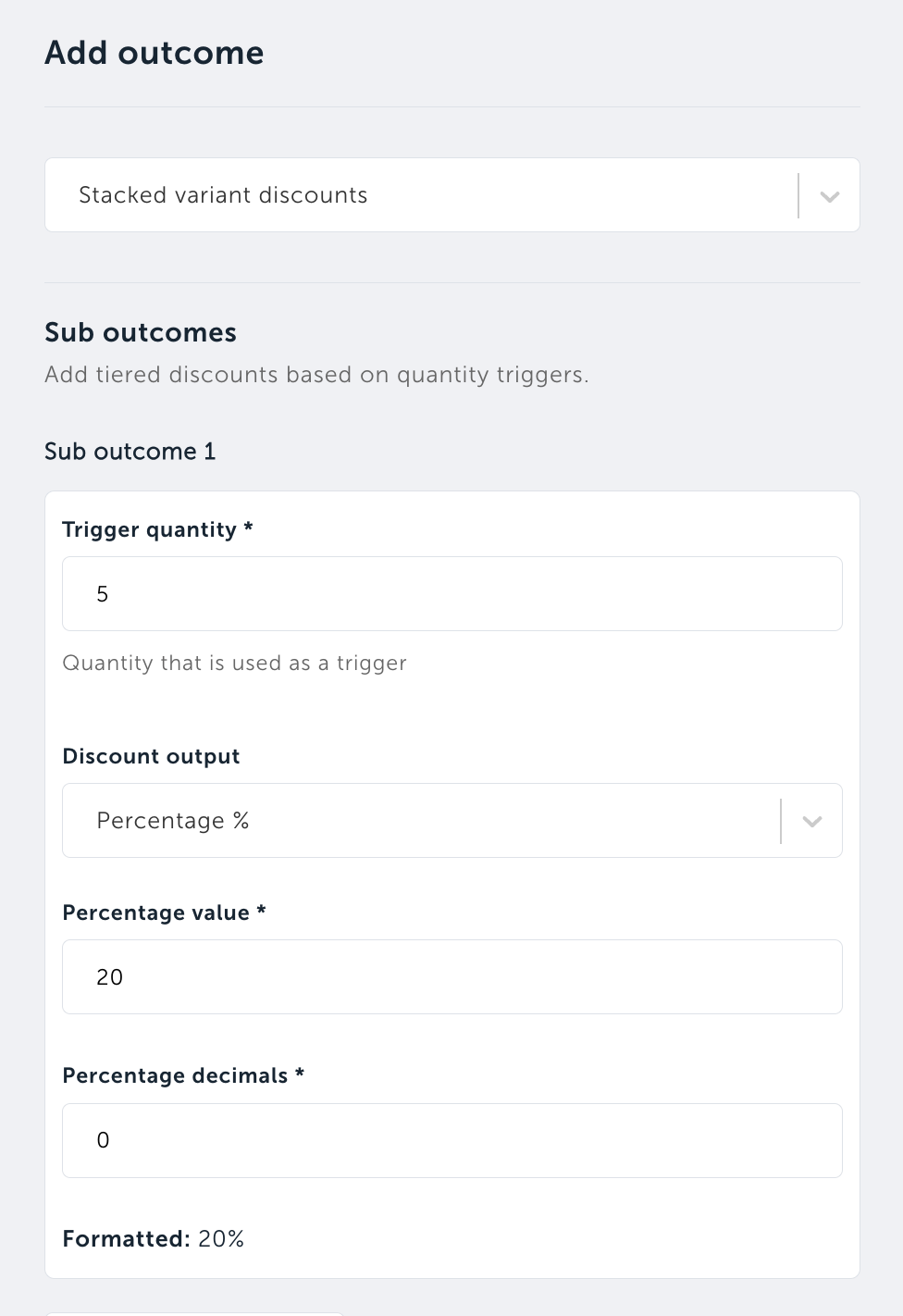
Example of setup with 20% if buying 5 items of the same product variant:
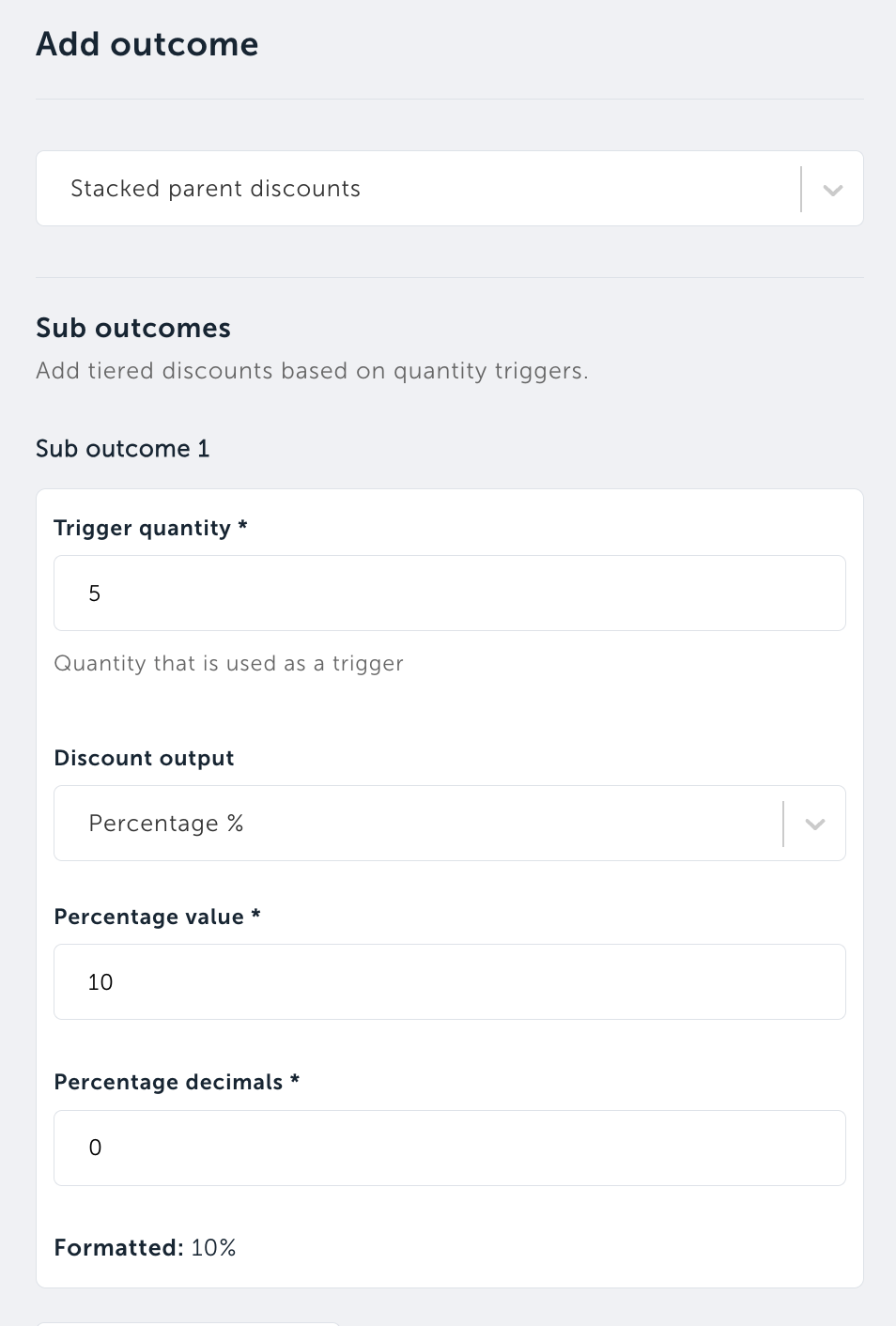
Example of setup with 10% if buying 5 items of the same product parent:
Was this helpful?
Still need help? Ask the team