Show and edit discount codes
Written By Petter Johansson
Last updated 12 months ago
Discount codes are a powerful tool for creating special offers and promotions in your eCommerce platform. They help attract customers, increase sales, and build customer loyalty.
How to use
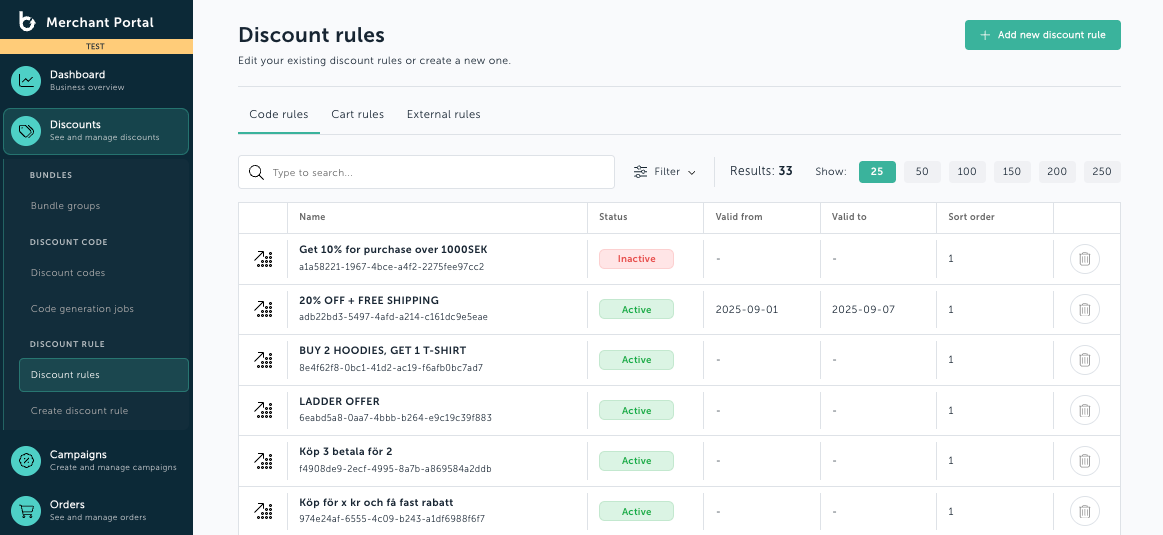
To access the page, click on Discounts and the Discount codes.
Viewing Discount Codes
Here, you can see the name of each code and its ID. You can also view the validity period and the creation date of the codes.

Searching for a Specific Code
To find a specific code, start typing the code in the search box. You can search by Name or Rule ID.

Editing a Discount Code
Once you’ve found the code you want to work with or edit, click on the row in the table.
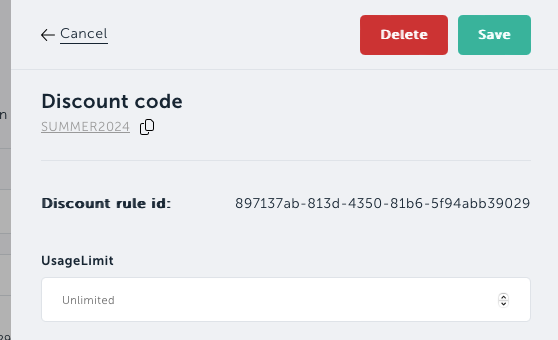
A dialog box will open, displaying the settings for the selected code.
Adjusting Code Settings
In the dialog box, you can set the number of times the code can be used under Usage Limit.
You can also set the date and time range during which the code is valid.
Saving Changes
When you are satisfied with the changes, click on Save.
Deleting a Code
You can also click the Delete button to remove the code.
If you do not want to make any changes, click Cancel in the top left corner or click outside of the dialog box.
Was this helpful?
Still need help? Ask the team