Customer overview - Quickly view order state per customer
The Customer Overview feature in Brink Commerce Merchant Portal allows CX and operations teams to quickly understand the customer journey by using the email address as a lookup key.
Written By Petter Johansson
Last updated 11 months ago
Introduction
The Customer Overview in Brink Commerce provides CX teams with a quick view of a customer’s history based on their email address. While Brink Commerce does not store customer profiles, it indexes all order-related comments, states, and actions by email. This functionality allows you to investigate customer interactions across multiple orders—an essential tool when handling incoming issues.
When to Use This View
Example: A customer calls customer service about a delivery issue. By searching for their email, you can quickly assess:
What orders they’ve placed
Whether any are currently blocked (and why)
Any previous comments or flags from the team
How to Use Customer Overview
1. Navigate to Customer Overview
In the left-hand menu, select Customers.
2. Search by Email Address
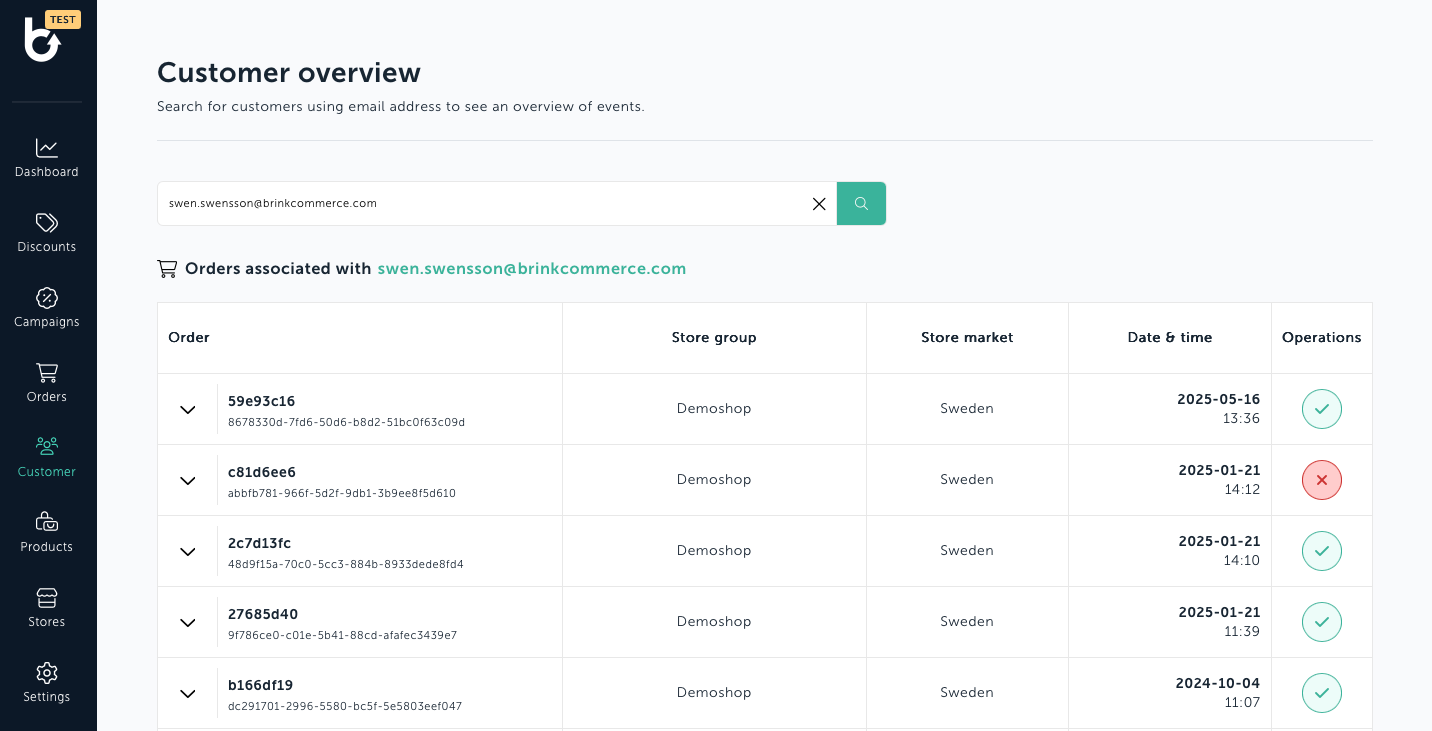
Enter the customer’s email address in the search field.
The system will return a list of orders associated with that email.
What You Can See in the Overview
Order Status Summary
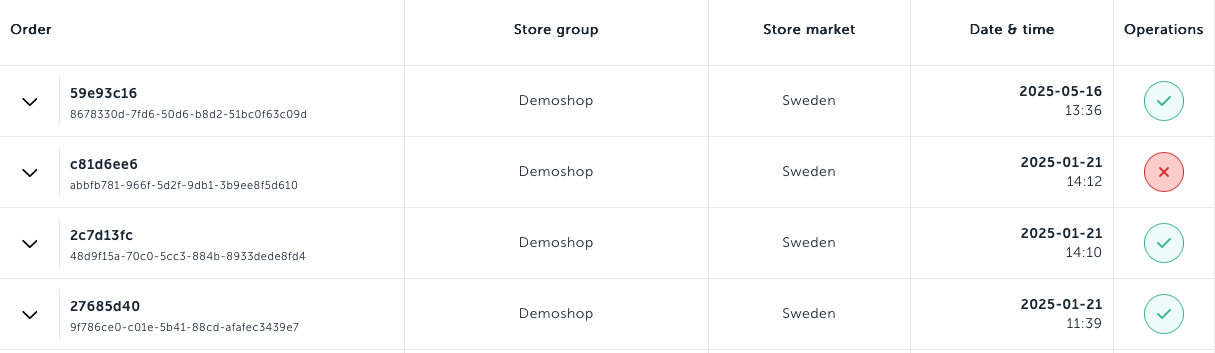
Each order is displayed in a row with a status indicator:
Green checkmark icon: Order is OK and has been processed successfully.
Red Cross Icon: The order has one or more blocked operations
Check for Blocked States
Hover over the red icon to see which operations are currently blocked (e.g., cancellation, delivery, refund).
Expand to View Order Timeline
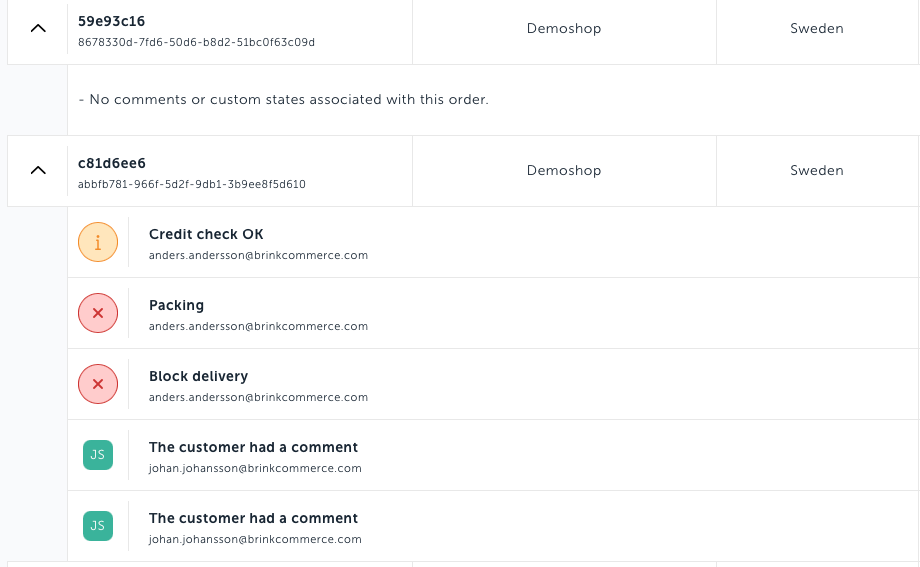
Click the chevron on the left side of the row to expand the timeline view.
This reveals:
A list of all states the order has passed through
The current state
Informative and blocking custom states
Order comments, including who made the comment and when
Access Full Order Details
Click the Order ID/name to navigate to the full Order Details page.
From here, you can:
View the entire order history
Add new comments
Remove blocking states (if you have the required permissions)
Continue with other order management actions
Audit-friendly: All actions and comments are time-stamped and attributed to individual users.
Was this helpful?
Still need help? Ask the team